SARCTE-KB-MAN-049 · EDIZIONE WEB 4
← Catalogo pubblico · Vai allo schema SARCTE
Riferimento Network
1. Scopo e Ambito
Il presente manuale raccoglie un insieme eterogeneo di Knowledge Object (KO) di dominio "Network" acquisiti dalla Documentation Factory SARCTE tramite ingestione di infografiche e appunti tecnici di terze parti. Lo scopo è consolidare in un unico riferimento cataloghi terminologici, schemi di topologia, cheat sheet e nozioni introduttive di networking, per supportare la consultazione rapida da parte di personale tecnico SARCTE in fase di formazione, troubleshooting o design preliminare.
Il manuale non descrive infrastruttura SARCTE reale: tutti gli schemi, indirizzi IP e configurazioni riportati sono materiale esemplificativo o didattico di terze parti, riportato fedelmente ai fini di catalogazione della conoscenza.
2. Descrizione Tecnica
Il cluster aggrega 14 KO eterogenei riconducibili al dominio Network, che spaziano da: topologie LAN aziendali ridondate (core-distribution-access), appunti manoscritti introduttivi su modello OSI/TCP-IP, cheat sheet su protocolli e porte, schemi di cablaggio CCTV/PoE, architetture data center Cisco UCS/MDS, cheat sheet IPv4/subnetting, design di rete per piccoli uffici, guide pratiche di cablaggio RJ45, tecniche di packet capture su switch Cisco Catalyst, topologie CCNA con ridondanza ISP e LACP, schemi di rete domestica/ufficio tipica, glossari di acronimi di rete e un approfondimento divulgativo sui cavi sottomarini in fibra ottica.
Il livello tecnico dei contenuti varia da Beginner (glossari, appunti introduttivi) ad Advanced (topologie ridondate, Cisco UCS/MDS, packet capture SPAN/RSPAN/ERSPAN). Non è presente un filo conduttore didattico unico: il cluster ha valore di raccolta di riferimento terminologico e di esempi di topologia, non di percorso formativo strutturato.
3. Contenuto per Argomento
KO-B2-009 — Medium Size Branch
Diagramma tecnico dettagliato della topologia di rete di una filiale di medie dimensioni con switch core ridondati (C1/C2), switch di distribuzione (D1-D5), switch di accesso (A1-A5), VLAN, firewall e server farm.
Estratto OCR: "Titolo: 'Medium Size Branch'. Sito www.thenetworkdna.com. Server Farm collegata a VLAN 20, IP 10.16.20.10, Default GW 10.16.20.1/24, tramite Switch D5. Firewall su VLAN 19. Switch A5 (Other Bldg-Area1) su VLAN 11, IP 10.16.1.10, GW 10.16.1.1/24. Core: Switch C1 e Switch C2 collegati con link Trunk (C2-C2) e vari collegamenti C1-D1...C1-D5, C2-D1...C2-D5. Nodo gestione: 'Node6-dist-3750-1 Mngt: 100.100.100.103/27'. Switch di distribuzione D1-D4 collegati a coppie di switch di accesso: D1-A1, D2-A1, D1-A2, D2-A2 (per D1/D2) e D3-A3, D4-A3, D3-A4, D4-A4 (per D3/D4). Switch di accesso: A1 (PTC-Area2) VLAN 12, IP 10.16.2.10, GW 10.16.2.1/24; A2 (PM GSE-Area3) VLAN 13, IP 10.16.3.10, GW 10.16.3.1/24; A3 (Catering-Area4) VLAN 14, IP 10.16.4.10, GW 10.16.4.1/24; A4 (Ground Service-Area5) VLAN 15, IP 10.16.5.10, GW 10.16.5.1/24."
Tecnologie/tool citati: VLAN, Cisco Catalyst.
KO-B2-014 — Computer Networking - Appunti manoscritti (IP Address, MAC Address, OSI, TCP/IP)
Foto di appunti manoscritti su quaderno a spirale datati 05-07-2022 a nome "Zahidul Haque", che riassumono concetti base di networking: indirizzi IP, indirizzi MAC, modello OSI, modello TCP/IP, DNS, DHCP, ARP, NAT, VPN, firewall, router, switch, hub.
Estratto OCR: "Data: 05-07-2022, autore Zahidul Haque. 'Computer Networking' -> 'a system that connects numerous independent computers in order to share information & resources.' Sezione IP Address: IP = Internet Protocol (Rules). Public IP -> helps to connect with the Internet. Private IP -> used in an internal network. Tipi di rete: LAN, PAN, MAN, WAN. IPv4 -> 2^32 -> 4.3 billion address. IPv6 -> 2^128 -> huge number. Static IP -> never changes. Dynamic IP -> periodically changes. Sezione MAC Address: MAC = Media Access Control. MAC address è indirizzo fisico fornito dal produttore, non modificabile, 48 bit; il router riconosce i dispositivi tramite MAC address. Nota: oggigiorno si può cambiare il MAC address tramite app o terminale, fenomeno chiamato 'MAC spoofing'. Testo: 'The OSI model describes the function of a networking system, while TCP/IP is used to interconnect network devices on the internet.' Tabella OSI Model (7 livelli) con esempi: 7 Application -> HTTP, FTP, SMTP, NFS, Telnet, others; 6 Presentation -> JPG, PNG, GIF, ASCII, CSS, HTML; 5 Session -> RPS, TLS, SCP; 4 Transport -> TCP (connection-oriented), UDP (connectionless); 3 Network -> IPv4, IPv6, ICMP, ARP; 2 Data Link -> MAC, ATM, HDLC, Frame Relay; 1 Physical -> Ethernet, USB, DSL, ISDN. Tabella TCP/IP Model (4 livelli) con esempi: 4 Application -> HTTP, Telnet, FTP, SMTP, DNS, SNMP; 3 Transport -> UDP, TCP; 2 Network/Internet -> IP, ICMP, ARP; 1 Network Interface -> Ethernet, Frame Relay. DNS -> turns domain names into IP address (Domain Name System). DHCP (Dynamic Host Control Protocol) [Temporary IP] -> dynamically assign IP address to any device. ARP (Address Resolution Protocol) [IP to MAC] -> associates IP address to MAC address. NAT (Network Address Translation) -> facilitates connection between an external system and an internal system with a private IP address. VPN (Virtual Private Network) -> provides an encrypted server and hides your IP address. Firewall -> a network security system. Router -> used to connect two or more different networks with each other. Switch -> used to connect two or more hosts from the same or different network, can send data to targeted devices. Hub -> almost same as switch but sends data to all connected ports, basically used in broadcast. Nota in basso: 'Took help from book - Certified Ethical Hacker & Google. Foundation Guide by Sagar Ajay Rahalkar.'"
Tecnologie/tool citati: IPv4, IPv6, MAC, OSI Model, TCP/IP Model, DNS, DHCP, ARP, NAT, VPN.
Nota di fedeltà: la fonte contiene refusi tipici di appunti manoscritti (es. "DHCP - Dynamic Host Control Protocol" invece di "Dynamic Host Configuration Protocol"; "RPS" nel Session layer, probabile refuso per "RPC"), riportati senza correzione come da vincolo di fedeltà alla fonte.
KO-B2-016 — Multi Channel CCTV Monitoring Wiring Method
Schema illustrativo del cablaggio di un impianto CCTV multicanale: videoregistratore, monitor, router, switch PoE, telecamere Hikvision e telecamera PTZ PoE+.
Estratto OCR: "Schema con etichette: 'Video recorder' (marca 'OREDOPING' visibile sull'apparecchio) collegato tramite 'VGA Cable' a un 'Display Monitor' che mostra 4 riquadri video di sorveglianza, e tramite 'Network cable' a un 'Router'. Il router è collegato a un 'POE Switch' (marca TP-LINK) che a sua volta alimenta e collega due 'Camera' Hikvision tramite 'Network cable' e una telecamera PTZ etichettata 'POE+'. In basso testo: 'Multi channel CCTV monitoring wiring method'."
Tecnologie/tool citati: PoE, PoE+, VGA, Hikvision.
KO-B2-019 — Networking Protocols
Infografica a griglia che elenca 15 protocolli di rete comuni con nome esteso e numero di porta associato (dove applicabile).
Estratto OCR: "Titolo: 'Networking Protocols'. Riquadri: FTP - File Transfer Protocol - PORT-21; SSH - Secure Shell - Port 22; TELNET - PORT-23; SMTP - Simple Mail Transfer Protocol - Port 25; DNS - Domain Naming System - Port 53; HTTP - Hypertext Transfer Protocol - Port 80; POP3 - Post Office Protocol - Port 110; HTTPS - HTTP Secure - Port 443; TCP - Transmission Control Protocol (nessuna porta); UDP - User Datagram Protocol (nessuna porta); ARP - Address Resolution Protocol (nessuna porta); RARP - Reverse ARP (nessuna porta); MTP - Media Transfer Protocol (nessuna porta); QOTD - Quote of the day (nessuna porta); PPP - Point to point protocol (nessuna porta)."
Tecnologie/tool citati: FTP, SSH, Telnet, SMTP, DNS, HTTP, POP3, HTTPS, TCP, UDP, ARP, RARP, MTP, QOTD, PPP.
KO-B2-028 — Cisco UCS with MDS connections
Diagramma tecnico di cablaggio che mostra il collegamento tra switch fabric Cisco MDS multilayer, Fabric Interconnect UCS 6100, Fabric Extender UCS 2104 e blade server UCS B200 M1 in chassis UCS 5108, con legenda dei tipi di collegamento per velocità.
Estratto OCR: "Titolo: 'Cisco UCS with MDS connections'. Schema: 'Connects to Cisco Approved SAN' con icona 'Data' collegata a '2 X Cisco MDS multilayer fabric switch' (due unità), che si collegano a '2 X UCS 6100 Series Fabric Interconnects' tramite collegamenti a 1/2/4 Gbps FC. Gli interconnect ricevono anche 'Ethernet Uplink' (10 Gbps Ethernet) e 'Ethernet Uplink for Management Interfaces' (10 Gbps FCoE, in rosso). Gli interconnect si collegano tramite '2 X UCS 2104 Fabric Extenders' (1 Gbps Ethernet, in arancione) a 'UCS B200 M1 Blades in a UCS 5108 Chassis' (vista posteriore 'Rear'). Legenda colori: verde tratteggiato = 1/2/4 Gbps FC; arancione = 1 Gbps Ethernet; rosso = 10 Gbps FCoE; viola = 10 Gbps Ethernet. Sito in basso: www.thenetworkdna.com."
Tecnologie/tool citati: Cisco UCS, Cisco MDS, Fibre Channel, FCoE, Ethernet.
KO-B4-001 — Network Protocols Mapped to OSI/TCP-IP Layers (IT vision)
Infografica del brand "IT vision" che mostra protocolli e relative porte suddivisi per Application Layer, Transport Layer e Network Layer, con illustrazione di PC, switch/router impilati collegati da cavi di rete.
Estratto OCR: "APPLICATION LAYER: HTTP (Port 901), HTTPS (Port 21), FTP (Port 21), SFTP (Port 22), SMTPS (Port 36), POP3 (Port 110), POP3S (995), IMAP (143), DNS (53), DHCP (67-68), SNMP (161), NTP (123), Telnet (23), SSH (22), LDAPS (636). TRANSPORT LAYER: TCP, UDP, DCCP, SCTP (988). NETWORK LAYER: ICMP, IGMP (330), EIGRP (88), BGP (179), MPLS, IPsec (500/4500)."
Tecnologie/tool citati: HTTP, HTTPS, FTP, SFTP, SMTPS, POP3, POP3S, IMAP, DNS, DHCP, SNMP, NTP, Telnet, SSH, LDAPS, TCP, UDP, DCCP, SCTP, ICMP, IGMP, EIGRP, BGP, MPLS, IPsec.
Nota di fedeltà: la fonte contiene errori evidenti (HTTP riportato come porta 901 invece dello standard 80; HTTPS come porta 21, che coincide erroneamente con FTP). Riportati fedelmente senza correzione, come da vincolo di fedeltà alla fonte.
KO-B4-002 — IPv4 Cheat Sheet
Cheat sheet completo sul protocollo IPv4 a cura del brand "IT VISION": formato indirizzo, classi, range IP privati, subnet mask, indirizzi speciali, header pacchetto IPv4, porte comuni, esempio indirizzamento, confronto IPv4 vs IPv6 e best practice.
Estratto OCR: "BASICS: 32 bit, 4 ottetti. CLASSI A-E con range e subnet mask. RANGE PRIVATI RFC1918. SUBNET MASK QUICK REFERENCE /8-/32 con host utilizzabili. FORMULA subnetting: subnet=2^n, host=2^h-2. INDIRIZZI SPECIALI: 0.0.0.0, 127.0.0.1, 255.255.255.255, APIPA, multicast. HEADER PACCHETTO IPV4 20-60 byte con tutti i campi. PORTE COMUNI. ESEMPIO INDIRIZZAMENTO completo. IPV4 VS IPV6 confronto. BEST PRACTICES."
Tecnologie/tool citati: IPv4, IPv6, TCP/IP, DHCP, NAT.
KO-B4-003 — Small Office Network Setup with Cisco Devices
Schema di rete per un piccolo ufficio basato su dispositivi Cisco: firewall, router, switch PoE, access point wireless, telecamere IP, telefono IP, stampante di rete e NAS, con elenco componenti e consigli rapidi.
Estratto OCR: "Internet -> Cisco Firepower 1010 (firewall) -> VPN remota + Cisco ISR 1100 (router) -> Cisco CBS 220 PoE switch -> 4 IP Camera, PC1, IP Phone 7841, Network Printer, NAS. Cisco Business 140AC AP per Wi-Fi Clients. Componenti: Firewall, Router, PoE Switch, Wireless AP, IP Cameras, End Devices con relative feature. Quick Tips: Cat6, WPA2/WPA3, firmware aggiornato, VLAN per voce/dati/guest."
Tecnologie/tool citati: Cisco Firepower 1010, Cisco ISR 1100, Cisco CBS 220 (PoE), Cisco Business 140AC, Cisco IP Cameras, Cisco IP Phone 7841, VPN, PoE, VLAN, Wi-Fi WPA2/WPA3.
KO-B4-004 — How to Prepare a LAN Cable (Cat5e/Cat6) - Step-by-Step Guide
Guida illustrata del brand "MR IT AND NETWORKING" su come preparare un cavo di rete Cat5e/Cat6 con connettore RJ45, standard T568B, con strumenti necessari e 8 fasi di installazione.
Estratto OCR: "TOOLS: LAN Cable, RJ45 Connector, Crimping Tool, Cable Stripper. T568B WIRING (pin 1-8): White/Orange, Orange, White/Green, Blue, White/Blue, Green, White/Brown, Brown. STEPS: strip jacket, arrange wires T568B, straighten, trim, insert RJ45, crimp, test, ready."
Tecnologie/tool citati: Cat5e, Cat6, RJ45, T568B.
KO-B4-005 — Packet Captures on Cisco Catalyst Switches (SPAN/RSPAN/ERSPAN/EPC/Wireshark)
Poster promozionale "Subscribers Only" di thenetworkdna.com su cattura pacchetti su switch Cisco Catalyst: SPAN, RSPAN, ERSPAN, EPC e analisi con Wireshark, riferito a switch Catalyst 9300X.
Estratto OCR: "Titolo: PACKET CAPTURES ON CISCO CATALYST SWITCHES. Finestra Wireshark esempio (10.1.1.10/10.1.1.20, TCP handshake, HTTP GET/200 OK). KEY LEARNING AREAS: SPAN Configuration, RSPAN, ERSPAN, EPC, Catalyst 9300/9400/9500, Traffic Analysis. Footer: hands-on labs, CCNA/CCNP. Follow -> www.thenetworkdna.com."
Tecnologie/tool citati: Cisco Catalyst 9300X, SPAN, RSPAN, ERSPAN, EPC, Wireshark, TCP, HTTP.
KO-B4-008 — CCNA Network Topology (dual-ISP, distribution layer with LACP)
Diagramma di topologia CCNA di thenetworkdna.com con due router ISP ridondanti, core switch L3, due distribution switch in LACP, cinque VLAN (Sales, Accounting, Voice, Guest Wi-Fi, Server Farm) e indirizzamento IP.
Estratto OCR: "R1 G0/0 203.0.113.1/30, R2 G0/0 198.51.100.1/30 -> Core Switch L3 -> Distribution Switch 1/2 (Port-Channel LACP) -> VLAN10 Sales, VLAN20 Accounting, VLAN30 Voice, VLAN40 Guest WiFi, VLAN50 Server Farm con relativi gateway. Sezioni High Availability/Performance/Security/Scalability."
Tecnologie/tool citati: VLAN, LACP, 802.1Q, SVI, ACL, Layer 3 Switching.
Nota di fedeltà: refuso rilevato nella fonte, gateway VLAN50 Server Farm indicato come 203.168.50.1 invece di 192.168.50.1 (incoerente con la subnet dichiarata), riportato fedelmente senza correzione. Il KO risulta quasi-duplicato (perceptual hash distanza 0) di KO-B1-003 (RUN-20260722-001), stessa infografica caricata in due batch distinti.
KO-B5-001 — Typical Network Setup
Infografica che mostra una tipica topologia di rete domestica/ufficio: dal cloud Internet, attraverso un modem/ONT dell'ISP, fino a uno switch centrale a cui si collegano access point Wi-Fi, dispositivi wireless, un PC desktop, una stampante di rete e telecamere CCTV.
Estratto OCR: "Titolo: 'TYPICAL NETWORK SETUP - Understanding how devices connect in a network'. Internet -> ISP Modem/ONT -> Switch (8 porte) -> quattro rami: Wi-Fi Access Point (con Wireless Devices: laptop/tablet/smartphone), Desktop PC, Network Printer, CCTV (telecamere dome/bullet). Watermark: www.thenetworkdna.com."
Tecnologie/tool citati: nessuna tecnologia specifica classificata nel campo dedicato del KO; dispositivi citati nell'OCR: ISP Modem/ONT, Switch, Wi-Fi Access Point, CCTV.
KO-B5-009 — Networking Abbreviations
Infografica in stile cartoon che elenca acronimi di rete per categoria: termini base, Internet/comunicazione, sicurezza/protezione, routing/switching; immagine troncata prima della sezione "Advanced Concepts".
Estratto OCR: "BASIC TERMS: IP, MAC, LAN, WAN. INTERNET & COMMUNICATION: DNS, DHCP, HTTP, HTTPS, FTP. SECURITY & PROTECTION: VPN, SSL, TLS, IDS, IPS. ROUTING & SWITCHING: TCP, UDP, ARP, VLAN, NAT. Sezione 'ADVANCED CONCEPTS' presente solo come intestazione, contenuto non visibile (immagine tagliata)."
Tecnologie/tool citati: nessuno classificato nel campo dedicato del KO (elenco di acronimi generico); termini citati nell'OCR: IP, MAC, LAN, WAN, DNS, DHCP, HTTP, HTTPS, FTP, VPN, SSL, TLS, IDS, IPS, TCP, UDP, ARP, VLAN, NAT.
Nota: la fonte è troncata (screenshot incompleto), la sezione "Advanced Concepts" non è visibile.
KO-B5-026 — How Internet Traffic Travels Under the Ocean
Infografica divulgativa su come il traffico Internet viaggia tramite cavi in fibra ottica sottomarini: percorso dati in 6 fasi, struttura interna cavo, mappa rotte globali, curiosità e statistiche.
Estratto OCR: "THE JOURNEY OF YOUR DATA (6 passi): invio richiesta -> ISP -> landing station -> cavo sottomarino -> altra landing station -> destinazione. INSIDE A SUBMARINE CABLE: Polyethylene Jacket, Steel Armor, Copper/Aluminum Layer, Glass Fiber Core. Statistiche: 450+ cavi attivi, 1.4M+ KM posati, 99% traffico internazionale, 25+ anni durata. KEY FACTS e HOW LONG ARE THEY. Fonte: Cyber Edge."
Tecnologie/tool citati: Submarine fiber optic cable.
4. Terminologia e Riferimenti Tecnici
| Tecnologia / Protocollo / Tool | KO di riferimento |
|---|---|
| VLAN | KO-B2-009, KO-B4-003, KO-B4-008 |
| Cisco Catalyst | KO-B2-009 |
| IPv4 / IPv6 | KO-B2-014, KO-B4-002 |
| MAC / OSI Model / TCP-IP Model | KO-B2-014 |
| DNS / DHCP / ARP / NAT / VPN | KO-B2-014, KO-B4-002, KO-B4-003 |
| PoE / PoE+ / VGA / Hikvision | KO-B2-016 |
| FTP / SSH / Telnet / SMTP / HTTP / POP3 / HTTPS | KO-B2-019, KO-B4-001 |
| TCP / UDP / ARP / RARP / MTP / QOTD / PPP | KO-B2-019 |
| Cisco UCS / Cisco MDS / Fibre Channel / FCoE / Ethernet | KO-B2-028 |
| SFTP / SMTPS / POP3S / IMAP / SNMP / NTP / LDAPS / DCCP / SCTP / ICMP / IGMP / EIGRP / BGP / MPLS / IPsec | KO-B4-001 |
| Cisco Firepower 1010 / Cisco ISR 1100 / Cisco CBS 220 / Cisco Business 140AC | KO-B4-003 |
| Cat5e / Cat6 / RJ45 / T568B | KO-B4-004 |
| Cisco Catalyst 9300X / SPAN / RSPAN / ERSPAN / EPC / Wireshark | KO-B4-005 |
| LACP / 802.1Q / SVI / ACL / Layer 3 Switching | KO-B4-008 |
| Submarine fiber optic cable | KO-B5-026 |
5. Prerequisiti e Livello Tecnico
| KO ID | Livello Tecnico | Prerequisiti |
|---|---|---|
| KO-B2-009 | Advanced | VLAN, Switching ridondato, Topologie a stella/core-distribution-access |
| KO-B2-014 | Beginner | Nessuno |
| KO-B2-016 | Beginner | Nessuno |
| KO-B2-019 | Beginner | Nessuno |
| KO-B2-028 | Advanced | Concetti di Storage Area Network, Fibre Channel, Cisco UCS architecture |
| KO-B4-001 | Intermediate | Concetti base di modello OSI/TCP-IP |
| KO-B4-002 | Intermediate | Indirizzamento IP di base, Notazione binaria |
| KO-B4-003 | Intermediate | Apparati di rete Cisco |
| KO-B4-004 | Beginner | Nessuno |
| KO-B4-005 | Advanced | CCNA/CCNP, TCP/IP, Wireshark |
| KO-B4-008 | Advanced | CCNA, VLAN/trunking, LACP |
| KO-B5-001 | Beginner | Nessuno |
| KO-B5-009 | Beginner | Nessuno |
| KO-B5-026 | Beginner | Nessuno |
Il cluster copre uno spettro ampio, da Beginner ad Advanced; si raccomanda l'uso come raccolta di riferimento puntuale (lookup) piuttosto che come percorso di apprendimento sequenziale.
6. Fonti e Provenienza
Questo manuale è materiale di riferimento assemblato da fonti terze (infografiche, appunti manoscritti e cheat sheet reperiti pubblicamente); non rappresenta contenuto originale SARCTE.
| KO ID | Watermark / Attribuzione rilevata |
|---|---|
| KO-B2-009 | thenetworkdna.com |
| KO-B2-014 | Appunti personali (autore: Zahidul Haque); riferimento bibliografico a "Certified Ethical Hacker Foundation Guide" (Sagar Ajay Rahalkar) |
| KO-B2-016 | Marchi prodotto: Hikvision, TP-LINK, "OREDOPING" |
| KO-B2-019 | Nessun watermark rilevato |
| KO-B2-028 | thenetworkdna.com |
| KO-B4-001 | Brand "IT vision" |
| KO-B4-002 | Brand "IT VISION" |
| KO-B4-003 | Watermark "@routernest" |
| KO-B4-004 | Brand "MR IT AND NETWORKING" |
| KO-B4-005 | thenetworkdna.com |
| KO-B4-008 | thenetworkdna.com |
| KO-B5-001 | thenetworkdna.com |
| KO-B5-009 | Nessun watermark rilevato |
| KO-B5-026 | Cyber Edge |
8. Documenti Correlati
- Guida VLAN e Trunking Cisco (dominio VLAN/switching condiviso con KO-B2-009, KO-B4-003, KO-B4-008)
- Guida Sicurezza Layer 2 Cisco (concetti di switching Layer 2 correlati)
- Riferimento Dispositivi di Rete (glossario dispositivi complementare a KO-B5-009)
- Guida Data Center Networking Avanzato (Cisco UCS/MDS correlato a KO-B2-028)
- Guida Reti Wireless (Wi-Fi correlato agli scenari di rete tipica di KO-B5-001)
- Materiale di Studio CCNA (topologie CCNA correlate a KO-B4-008)
Versione e stato di revisione
Testo tecnico dell'edizione legacy 1.0. Generato con AI; stato legacy AI_Reviewed. La revisione tecnica umana non risulta completata. La preparazione per il web non costituisce una certificazione tecnica o un aggiornamento delle fonti.
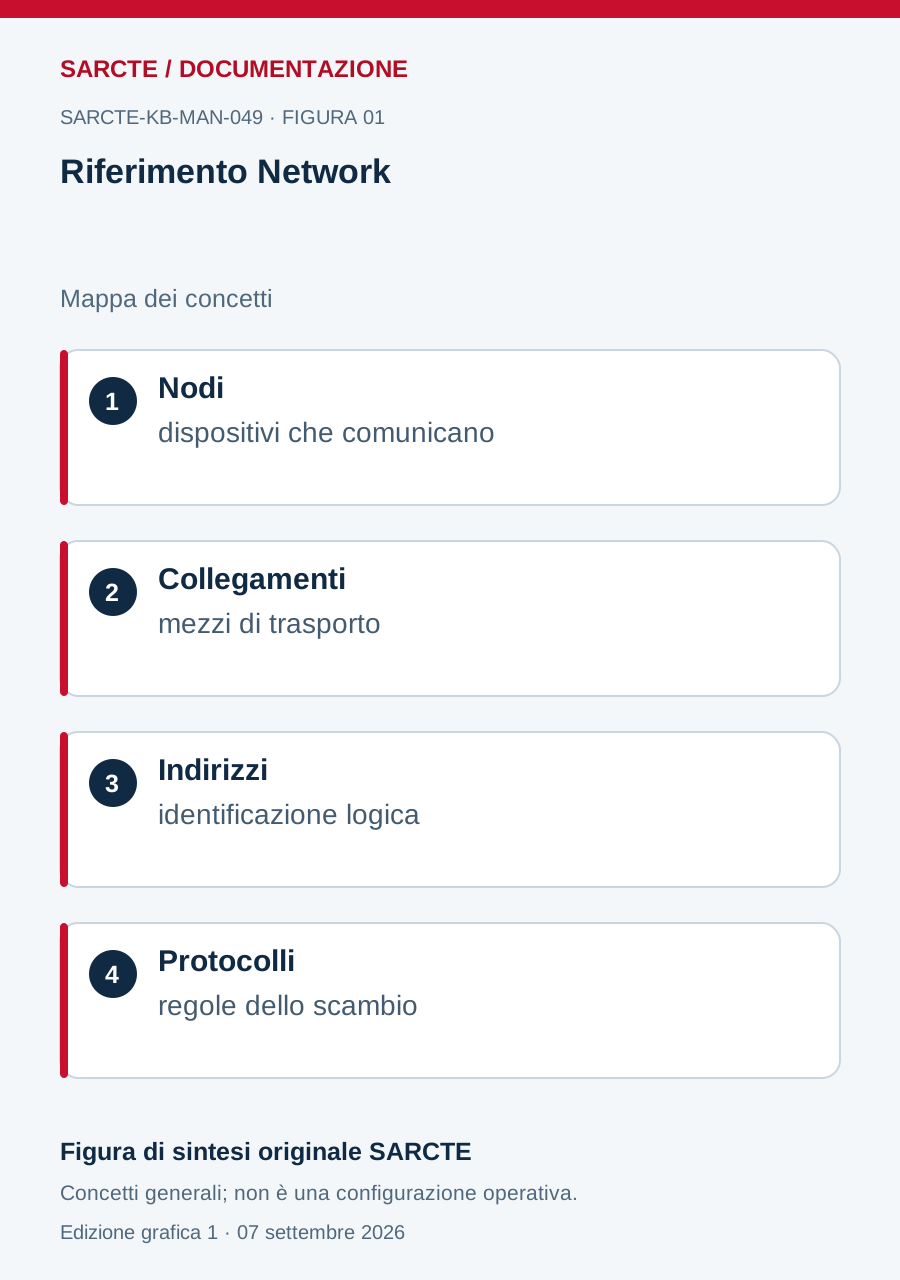
Schema originale SARCTE
Figura di sintesi creata per questo manuale con composizione, forme e testi nuovi. Non riproduce le infografiche storiche e non ne sostituisce tutte le tabelle di dettaglio.
Edizione web preparata il 7 settembre 2026. I metadati interni di audit sono conservati nel registro locale.